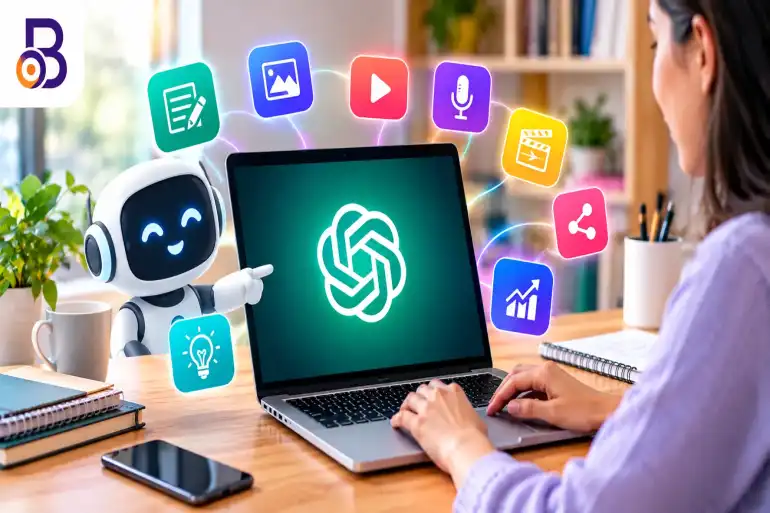
Best AI Tools for Content Creators in 2026: 10 Tools to Create Better Content Faster
Creating content in 2026 is easier than ever, but creators also have more platforms, formats and publishing demands to manage. A single idea may need to become a blog post, Instagram caption, YouTube video, thumbnail, short video and social media post.
This is where AI tools for content creators can save time. Modern AI platforms can help with brainstorming, writing, research, graphic design, video editing, voiceovers, captions and content repurposing.
The important thing is not to use every AI tool available. Instead, choose tools that fit your content workflow and use AI to handle repetitive tasks while keeping your own ideas, experience and creative voice at the center.
Table of Contents
What Are AI Tools for Content Creators?
AI content creation tools are software applications that use artificial intelligence to help create, edit or improve digital content. Depending on the platform, they can generate text, images, videos, audio, captions or designs.
For creators, their biggest benefit is often speed. Instead of spending hours completing repetitive production tasks, you can use AI to create a starting point and then refine the result yourself.
AI can be useful for bloggers, YouTubers, Instagram creators, podcasters, marketers, photographers and small businesses that regularly publish digital content.
1. ChatGPT for Writing, Research and Content Ideas
ChatGPT can be used across several stages of the content creation process. Creators can use it to brainstorm topics, create outlines, develop scripts, rewrite drafts, generate captions and organize content ideas.
It can also help turn one idea into multiple formats. For example, a creator could start with a long-form article and create a video script, social media captions and a list of short-video ideas from the same topic.
However, AI-generated text should not automatically be treated as finished content. Adding your own experience, examples, opinions and fact-checking can make the final result more useful and original.
If you are new to ChatGPT, our guide to ChatGPT uses for everyday work provides additional ideas for using AI productively.
2. Canva AI for Graphics, Images and Social Media
Canva has become a popular option for creators who need social media graphics, thumbnails, presentations, posters and other visual content. Its AI features can assist with copywriting, image editing, background removal, video creation and resizing designs for different platforms.
Canva AI is particularly useful when a creator wants to move quickly from an idea to an editable visual design. Its AI tools can also help generate captions, edit images and adapt designs for different content formats.
For bloggers and social media creators, this can reduce the amount of time spent creating thumbnails, promotional graphics and other visual assets.
You can also explore our guide to the best free photo editing tools for additional options.
3. Descript for Video and Podcast Editing
Descript is designed around text-based editing for video and audio content. It can transcribe recordings and allow creators to work with the transcript while editing their media.
This approach can be useful for YouTubers, podcasters and creators who frequently produce talking-head videos, interviews or recorded discussions.
Descript's 2026 creator-tool coverage also includes AI capabilities across video, audio cleanup and content repurposing, making it useful for creators working with longer recordings.
4. CapCut for Short-Form Video Content
Short videos have become an important part of content strategies on platforms such as Instagram, YouTube and TikTok. CapCut provides editing tools that can help creators produce short-form videos quickly.
Creators can use AI-assisted features for tasks such as captions, effects, editing and other production work. This makes the platform useful when the goal is to turn raw clips into social-ready videos without a complicated editing workflow.
When choosing a video editor, always check the features and availability offered in your region because AI features, plans and limits can change over time.
5. Adobe Express for Social Media and Visual Content
Adobe Express combines design, photo and video editing features in a relatively simple interface. Its AI-powered features can help creators remove backgrounds, generate or edit visual elements, add captions and prepare content for social platforms.
Adobe also provides scheduling and publishing features for social content, allowing creators to plan and distribute posts from the same workflow.
For creators already using Adobe products, Express can also fit into a broader creative workflow involving Photoshop, Illustrator, Lightroom and other Adobe applications.
6. Runway for AI Video Generation
Runway is focused on AI-powered video creation and generation. It can be useful for creators who need visual sequences, creative effects or video concepts that would be difficult or expensive to shoot traditionally.
For example, a creator could use AI-generated footage as supporting visuals for a video rather than filming every scene from scratch.
AI video generation works best when it supports the creative idea rather than replacing the entire production process. Creators should still review generated clips carefully for visual consistency, accuracy and suitability for the intended audience.
7. ElevenLabs for Voiceovers and Audio
Voice can make a major difference in videos, tutorials, explainers and social media content. AI voice platforms such as ElevenLabs can help creators produce voiceovers without recording every line themselves.
This can be useful for creators who need narration for videos, short explainers, educational content or multilingual projects.
When using AI-generated voices, creators should also pay attention to licensing and voice rights. Do not use an AI voice to imitate a real person in a misleading way or without appropriate permission.
8. AI Tools for Research, SEO and Content Planning
Content creation starts before the writing or recording stage. Research and planning can determine whether an idea is useful to your audience.
AI search and research assistants can help creators explore questions, organize information and discover related topics. They can also help identify questions that may deserve deeper research before creating an article or video.
SEO-focused workflows can benefit from AI as well. However, keyword research should not become an excuse to create repetitive pages with little original value.
Our guide on AI-driven search visibility explains why useful content, topical relevance and a strong technical foundation remain important as search becomes more AI-driven.
How to Build an AI Content Creation Workflow
Using several AI tools does not automatically make a creator more productive. A simple workflow is usually easier to manage.
Step 1: Start With the Content Idea
Begin with your audience and the problem or topic you want to address. AI can help brainstorm ideas, but the creator should decide whether the topic is genuinely useful.
Step 2: Research the Topic
Collect reliable information and identify the questions your audience is likely to ask. Do not rely blindly on AI-generated facts, especially for technical, financial, medical or other sensitive subjects.
Step 3: Create the First Draft
Use an AI writing assistant to develop an outline or first draft. Then add your own examples, experience, data and perspective.
Step 4: Create Visual Assets
Use Canva, Adobe Express or another suitable design platform for thumbnails, graphics and social media visuals. Image-generation tools can also be used when original visual concepts are required.
Step 5: Produce and Edit Video
For video creators, tools such as CapCut, Descript and Runway can support different stages of production, from editing existing footage to creating AI-generated visuals.
Step 6: Repurpose the Content
One long-form piece can become several smaller pieces of content. A blog can become a video script, carousel, short video, email or social media post.
Creators who publish on Instagram can also use our guide on the best time to post on Instagram to plan their publishing schedule.
Tips for Using AI as a Content Creator
Use AI for Speed, Not Blind Automation
AI can save time, but completely automated content can easily become repetitive. Use AI to speed up research, drafting and production while keeping editorial control.
Fact-Check Important Information
AI systems can make mistakes or provide outdated information. Verify important facts using reliable primary sources before publishing.
Keep Your Own Voice
Your experience and personality are valuable parts of your content. AI-generated writing should be edited so that the final result sounds natural and matches your style.
Do Not Subscribe to Too Many Tools
You do not need a separate AI application for every small task. Start with tools that solve your biggest production problems and add more only when there is a genuine need.
Think About Copyright and Licensing
Before commercially publishing AI-generated images, music, voices or videos, check the tool's current licensing terms. Rules and commercial-use permissions can vary between platforms and subscription plans.
Protect Your Personal and Business Data
Avoid uploading confidential documents, private customer information, passwords or sensitive business data to AI tools unless you understand how that platform handles the information.
AI Content Creation Tools by Use Case
| Content Need | Tools to Consider | Useful For |
|---|---|---|
| Writing and ideas | ChatGPT | Blogs, scripts, captions, brainstorming |
| Graphic design | Canva AI | Thumbnails, social posts, graphics |
| Video and podcast editing | Descript | Interviews, podcasts, talking-head videos |
| Short-form video | CapCut | Reels, Shorts and social videos |
| Visual content | Adobe Express | Social graphics, photos and videos |
| AI video generation | Runway | Creative video sequences and visual concepts |
| Voiceovers | ElevenLabs | Narration and voice-based content |
Frequently Asked Questions
What are the best AI tools for content creators in 2026?
Popular options include ChatGPT for writing and brainstorming, Canva AI for visual content, Descript for video and podcast editing, CapCut for short-form video, Adobe Express for social content, Runway for AI video generation and ElevenLabs for voiceovers.
Which AI tool is best for writing content?
ChatGPT can help creators brainstorm topics, create outlines, draft content, rewrite text and develop scripts. The final content should still be reviewed and edited by the creator.
Which AI tool is useful for YouTube creators?
YouTube creators can combine several tools depending on their workflow. ChatGPT can help with ideas and scripts, Canva can help with thumbnails, while Descript and CapCut can support video editing.
Can AI create social media posts?
Yes. AI tools can help generate captions, visual designs, short videos and content ideas. Canva, for example, provides AI-assisted tools for copywriting, images and video content.
Can AI completely replace a content creator?
AI can automate or speed up many production tasks, but creators still need to make decisions about topics, accuracy, creativity, audience needs and publishing strategy. Human review is particularly important when content contains factual claims or personal expertise.
Are AI tools free for content creators?
Many AI platforms offer free plans or limited free features, while advanced capabilities are often available through paid plans. Features, usage limits and pricing can change, so check the current plan information before subscribing.
Should bloggers use AI to write entire articles?
AI can be useful for brainstorming, research organization, outlines and drafting, but publishing completely unreviewed AI-generated articles can result in inaccurate, repetitive or generic content. Bloggers should add original information, verify facts and edit the final article carefully.
Conclusion
The best AI tools for content creators in 2026 are not necessarily the ones with the largest number of features. The most useful tool depends on what you create and where your biggest production bottleneck exists.
Writers may benefit most from AI writing and research assistants, while YouTubers may need video editing, thumbnail and voice tools. Social media creators can combine design, caption, short-video and scheduling tools to create a faster publishing workflow.
The smartest approach is to start small. Choose a few tools that solve real problems, verify AI-generated information, protect your original voice and use AI as a creative assistant rather than allowing it to replace the thinking behind your content.